Claude Code,
wired into your project
Open a terminal in your browser with every repo cloned, your project's context loaded, and the tools to deploy. Describe what you want - Claude builds it in your codebase and ships it to your AWS account.
Included on Professional and above. Bring your own Claude subscription.
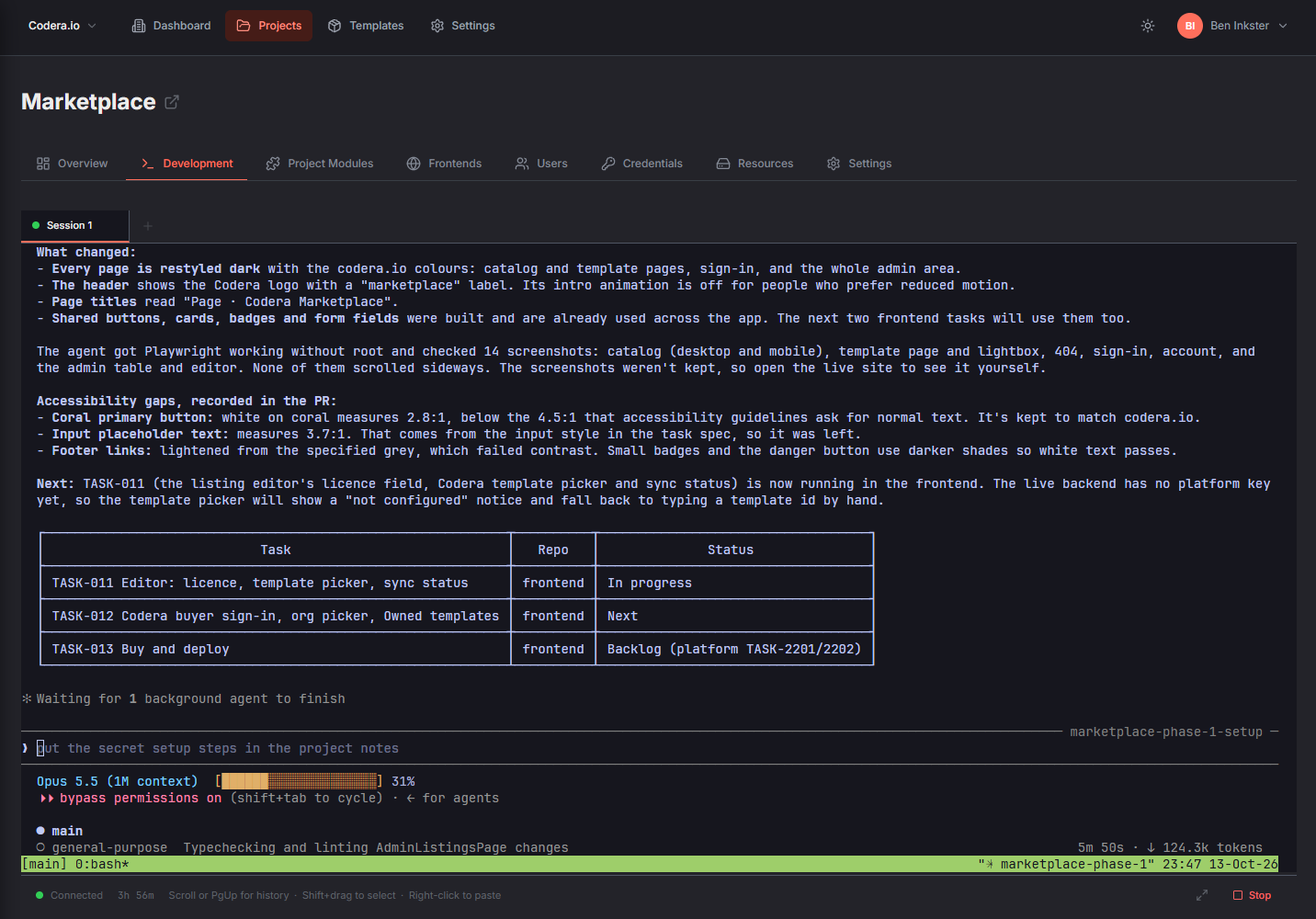
From idea to deployed, in one conversation
No local setup, no copying context between tools, no separate deploy step.
Open the Development tab
Start a session from your project. A fresh workspace boots with every project repository cloned and up to date, plus your project's documents and notes.
Sign in with your Claude account
Log in to Claude once. Your login is reused across all of your projects, and your AI usage stays on your own Claude plan.
Plan the work with Claude
Claude starts with your project's architecture, conventions, and task board already loaded, so you can describe what you want instead of re-explaining your codebase.
Let Claude ship it
Claude works through the plan task by task across your repos - opening pull requests, waiting for checks, merging - and deploys with Codera's tools when it's ready.
What's in the box
Ready-to-go workspace
Node.js, Python, git, the GitHub CLI, and the AWS CLI are installed. Nothing to set up on your laptop, and no "works on my machine".
Every repo, in one place
Frontend, backend, modules, and dashboard repos are cloned side by side, so Claude can make changes that span the whole stack.
Sessions that persist
Your workspace is kept between sessions, and resuming picks the conversation up where you left off. Closing the browser tab doesn't end your session.
Deploy from the conversation
Claude can deploy your project, check deployment status, and create or update workflows, modules, and frontends through Codera's built-in tools.
Project context built in
Documents you upload and notes your team writes are available to Claude in every session, alongside your project's own instructions.
Your Claude, your bill
Bring your own Claude subscription. Codera doesn't meter tokens or add AI surcharges - your platform price stays flat.
Your project tells Claude how to work
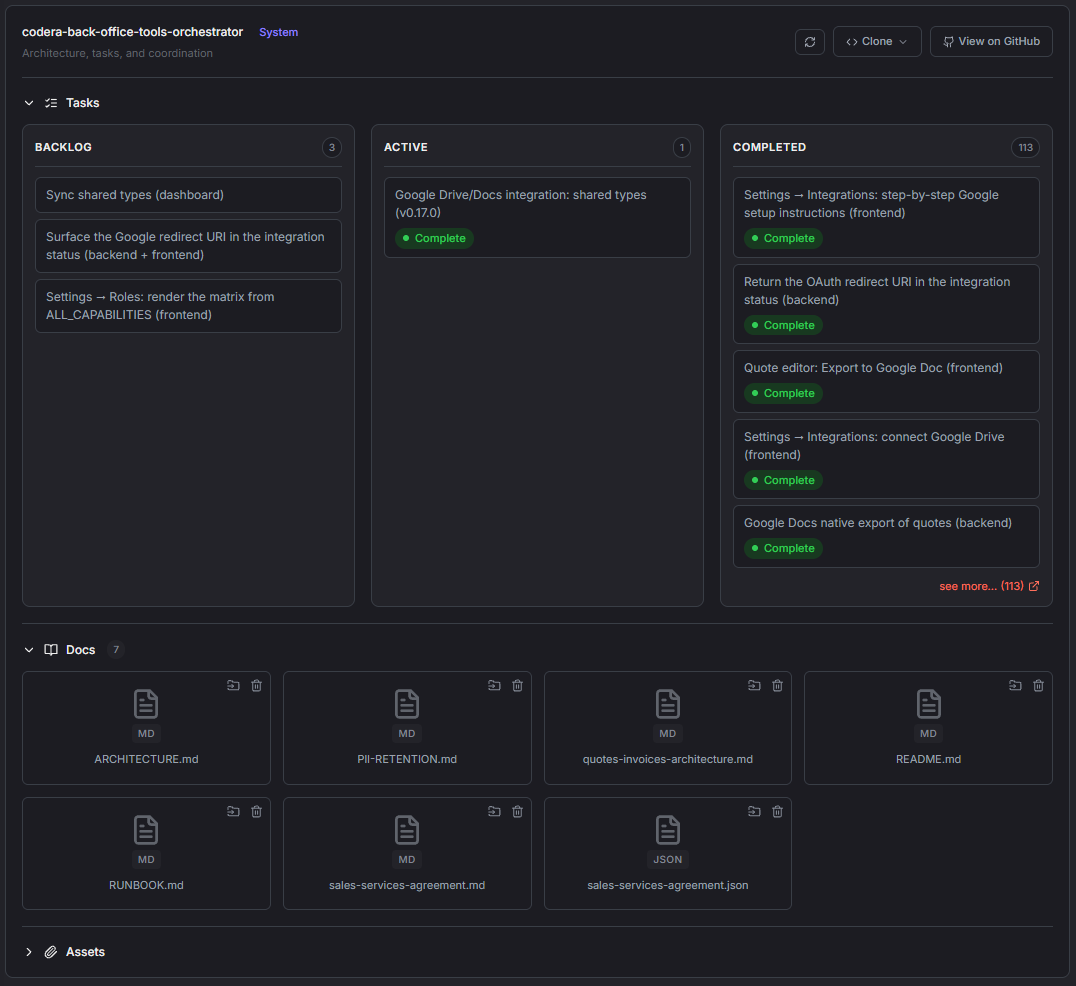
Every project created from a template includes an orchestrator repository: the architecture, conventions, and task board for the whole project, in plain files you can read and edit.
When a session starts, Claude loads those instructions. Once you approve a plan, it works through the tasks one at a time - making the change in the right repo, opening a pull request, waiting for checks, and moving on. You can follow along on the task board in the Codera dashboard.
You stay in control
Claude can build and deploy, but the decisions that matter stay with you.
- A session can only act on the project it was opened for
- Deleting projects, changing members, credentials, environments, and promotions still require you in the dashboard
- Sessions shut down after an idle timeout you choose (5 to 120 minutes)
- Every change lands as commits in your own repositories
Questions
Do I need a Claude subscription?
Yes. You sign in with your own Claude account, and AI usage is billed by Anthropic under your plan. Codera doesn't charge for AI usage.
Does the Dev Environment run in my AWS account?
No. The Dev Environment runs on Codera's platform. The application you build deploys to your own AWS account, and the code lives in your own GitHub.
Can I still use my own editor?
Absolutely. Your repositories are ordinary Git repositories in your GitHub, so you can clone them and work locally whenever you prefer. The Dev Environment pulls the latest changes each time it starts.
Can my whole team use it?
Yes. Each team member gets their own session and workspace for each project and signs in with their own Claude account. Work is shared through Git, project notes, tasks, and documents.
Which plans include it?
The AI Dev Environment is included on Professional, Agency, and Enterprise plans.
Build with AI. Keep the code.
Start free, then upgrade to Professional to unlock the AI Dev Environment.